

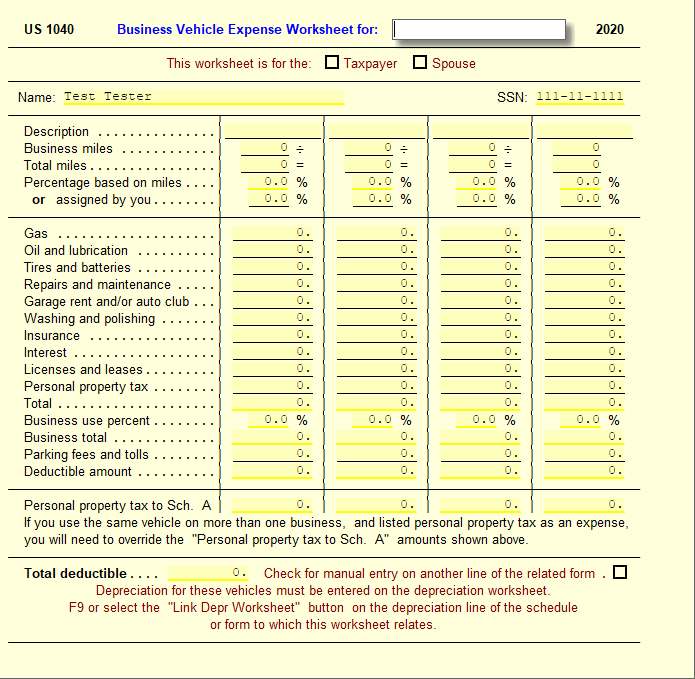
You can use the Business Vehicle Worksheet to calculate the deductible amount of gas and other expenses for up to four vehicles per page.
To complete the Business Vehicle Worksheet:
- Go to Vehicle Wkt.
- Type the name of the individual or business at the top of the form.
- Enter the vehicle's description, business miles, and total miles for each vehicle.
- UltimateTax calculates the percent of business use. If you wish, you may skip the mileage entries and enter the percent of business use directly on the Business use percent line.
- For each vehicle, enter your expenses.
- The worksheet totals the expenses and calculates the deductible based on the business use percentage.
- Parking fees and tolls are added in at 100%.
- This worksheet can be duplicated if you have more than four vehicles. Press Shift+F10 to duplicate the form.
- Depreciation for these vehicles must be entered by linking Form 4562 to a Depreciation Worksheet. Use a separate worksheet for each vehicle.
Solution Article:
8910 - Alternative Motor Vehicle Credit
Comments
Article is closed for comments.