

While in a return, there is context-sensitive help that shows at the bottom of the screen.
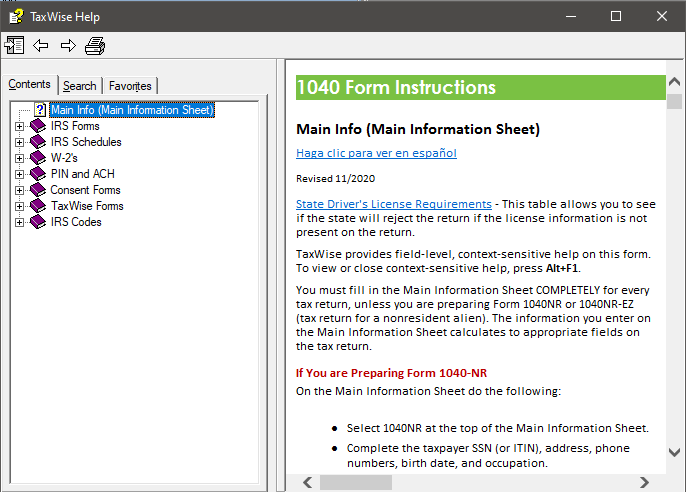
Along with this, a function also shows more in-depth information and helpful hints that can assist with questions about forms or fields on forms. To access this, simply press F1 while on the field in question. F1 can also be used to search forms and their instructions.
This is what the Help screen looks like:
This applies to all years of the UltimateTax software.
Solution Article:
Keyboard Shortcuts
Keyboard Shortcuts in UltimateTax Online
Keyboard Shortcuts in UltimateTax Desktop
Comments
Article is closed for comments.