

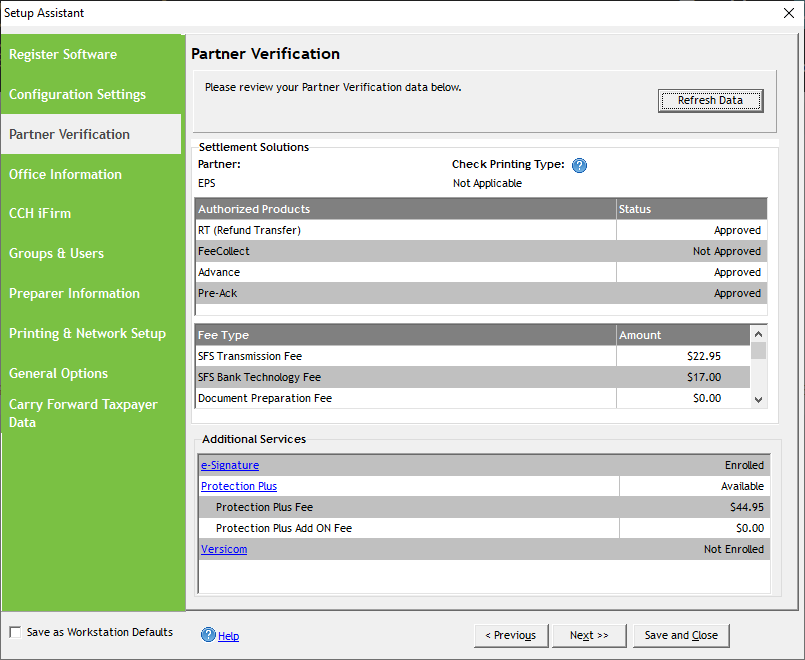
If the software is not loading or refreshing detailed information under the Partner Verification screen when in the Setup Assistant, try the steps below to resolve the issue.
- Verify the most recent program update is installed by going to Help>About>Version.
- Verify windows system date and time ‘Set Automatically’ is set to On – even if it appears as the time is correct.
- Right-click the clock in the taskbar
- Select adjust date & time
- Make sure ‘Set Automatically’ is On – if Off, turn it to On. Note it can sometimes take a few minutes to set/update
- Re-launch UltimateTax and navigate to Tools>Utilities/Setup Assistant > Setup > Setup Assistant > Partner Verification.
- Select Refresh – Note if you select ‘Details,’ you should see all steps as connected successfully
- You should see Partner Verification updated successfully:
This only applies to the current e-filing year of UltimateTax software.
Solution Article:
Partner Verification
Comments
Article is closed for comments.